
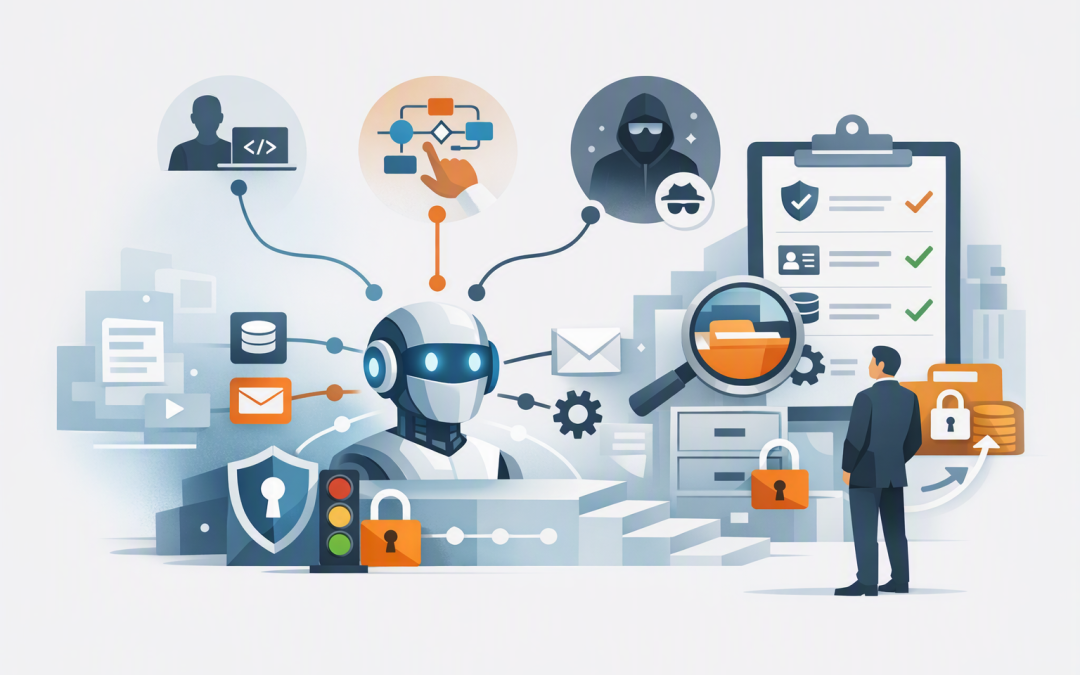
In this blog post Where Your AI Agents Actually Come From and How to Govern Them we will explain why your approved AI project may represent only a fraction of the agents operating across your business.
You may have three AI agents listed in an IT project register. Meanwhile, employees could be creating agents in Microsoft 365, connecting AI tools to company data, installing browser extensions or running automated workflows from personal accounts. The problem is not simply that AI use is growing. It is that many organisations cannot confidently say what their agents can access, what actions they can take or who is responsible when something goes wrong.
What is an AI agent in plain English?
An AI agent is software that uses an AI model to interpret a request, decide what steps to take and use connected tools to complete a task. Unlike a basic chatbot, an agent may search documents, update a customer record, create a support ticket, send an email or trigger another business process.
Most agents contain the same basic ingredients: an AI model such as OpenAI or Anthropic Claude, a set of instructions, access to company information and tools that let the agent take action. They may also have an identity, memory, scheduled triggers and a record of previous activity.
CPI Consulting helps organisations design, build and secure Azure AI solutions, from Azure OpenAI and Microsoft Foundry to agents, governance and production deployment.
Visit CPI ConsultingThe technology is not necessarily the difficult part. The real management challenge is that these agents can now be created through several very different routes.
The three places your AI agents are coming from
1. Pro-code agents built by developers
Pro-code agents are built using software development tools and programming languages. They may run in Microsoft Foundry on Azure, use OpenAI or Claude models, connect to internal systems through application programming interfaces, or APIs, which allow software systems to exchange information.
These agents usually support more complex or business-critical work. Examples include reviewing insurance documents, preparing customer proposals, investigating security alerts or coordinating an employee onboarding process across several systems.
Pro-code does not automatically mean well governed. Developers can still grant excessive permissions, store passwords or API keys insecurely, skip testing or deploy an agent without reliable monitoring.
When these agents move into production, they need the same discipline as any important business application. That includes controlled releases, named owners, security testing and clear records of every action. We explore the infrastructure side further in designing secure AI agent infrastructure on Azure.
2. Low-code agents built by business teams
Low-code platforms let employees create agents through visual screens and plain-language instructions rather than traditional programming. Microsoft Copilot Studio, Microsoft 365 agent-building tools and visual AI workflow platforms have made this much easier.
This is good for productivity. A finance manager can create an agent that answers policy questions. Human resources can build one that guides new starters. Operations can automate the collection and summarisation of weekly reports.
The risk is scale. One useful agent can become 50 agents across different teams, environments and accounts. Some may contain outdated instructions, connect to the wrong data or remain active after their creator changes roles.
Low-code agents should therefore sit inside managed environments with rules controlling which data sources and connectors they can use. A connector is simply a prebuilt link to a service such as SharePoint, Salesforce, Outlook or an accounting platform.
Low-code should reduce the effort required to build an agent. It should not reduce the checks required before that agent can access sensitive information or perform business actions.
3. Unsanctioned agents created outside IT
The third category is the hardest to see. An employee signs up for an AI service, connects it to cloud storage and builds a recurring workflow. A sales team installs an AI meeting tool. A staff member gives a browser-based assistant access to email. Someone creates a custom agent using a personal account and uploads company documents to make it more useful.
These employees are rarely trying to create a security problem. They are usually trying to remove repetitive work while waiting for an approved option.
However, the business may have no contract with the provider, no control over data storage, no access logs and no way to recover or disable the agent when the employee leaves. This is often called shadow AI: AI software being used without formal approval or visibility.
Blocking every AI service is rarely a sustainable answer. It can drive usage further underground. A better approach is to discover what people are using, understand the business need and provide an approved path that is nearly as easy.
Why the agent’s origin changes the business risk
Two agents may perform the same task while creating very different levels of risk. Leaders should examine five areas.
- Visibility: Can IT and security teams find the agent and see whether it is active?
- Identity: Does the agent have its own managed identity, or is it using an employee’s account and permissions?
- Data access: Can it read public information, internal files, personal information or financial records?
- Actions: Can it only recommend an action, or can it send messages, change records and approve transactions?
- Ownership: Is someone accountable for its accuracy, cost, security and eventual retirement?
An agent that summarises public documents is not equivalent to one that changes supplier bank details. Governance should be based on what the agent can do, not simply whether it was created with code or a visual tool.
What agent sprawl looks like in practice
Consider an illustrative 200-person professional services firm. Its leadership team believes it has four AI agents because those are the projects approved by IT.
A broader review finds another 18 low-code agents created by departments, several AI meeting and writing applications, and two scheduled workflows operating through former employees’ credentials. One agent can access an entire SharePoint site even though it only needs a single folder.
None of these issues requires a dramatic AI failure to cost the business money. Duplicate subscriptions increase expenses. Poorly maintained agents produce unreliable work. Excessive access increases the potential impact of a compromised account, while missing logs make privacy and compliance questions difficult to answer.
The business outcome from an agent inventory is therefore not more paperwork. It is lower software spending, fewer abandoned tools, clearer accountability and less chance of sensitive information leaving approved systems.
A practical plan for governing every type of agent
- Build one inventory. Combine information from development platforms, Microsoft 365, Copilot Studio, cloud environments, network traffic and software expense records. Microsoft Agent 365 can help provide a central view of Microsoft and connected third-party agents, while Microsoft Defender can help identify unsanctioned AI services.
- Give every agent an owner. Record the business purpose, department, technical owner, data used, actions allowed and review date. Agents without active owners should be restricted or retired.
- Separate reading from doing. An agent that reads information should not automatically receive permission to change it. Require stronger approval, testing and monitoring for agents that send emails, modify records, create accounts or move money.
- Create fast approved pathways. Offer a low-risk environment where teams can experiment with approved models and non-sensitive data. Escalate agents into a more controlled process as their access and business impact increase.
- Apply existing security controls. Use Microsoft Entra for identity and access, Intune, which manages and secures company devices, Microsoft Defender for threat protection, and Wiz for visibility across cloud risks. These controls also support the Essential Eight, the Australian government’s cybersecurity framework that many organisations use to reduce common attack paths.
- Review agents throughout their life. Test outputs, monitor actions, control costs and remove unused access. The need for ongoing oversight is similar to the guardrails discussed in using AI coding agents without losing quality.
The goal is controlled adoption, not slower adoption
AI agents will not arrive through one central programme. They will come from developers, business teams, software vendors and employees solving local problems. Trying to force every use case through a lengthy technology project will encourage more unsanctioned activity.
The better model is to make safe options easy, match controls to actual business risk and maintain one reliable view of every agent. This supports faster adoption while protecting company data, controlling costs and helping leaders demonstrate reasonable security practices under Australian privacy and cybersecurity expectations.
As a Melbourne-based Microsoft Partner and Wiz Security Integrator, CloudProInc combines more than 20 years of enterprise IT experience with practical work across Azure, Microsoft 365, OpenAI, Claude, Defender and cloud security. If you are not sure how many agents are already operating in your business, we are happy to help you build the inventory and identify the highest-risk gaps first—no strings attached.