
In this blog post Building Microsoft Foundry Agents with Microsoft Agent Framework we will explain how these technologies work together and how to turn a promising AI demonstration into a secure, useful business system.


Many organisations already have an AI prototype that can answer questions. The difficulty begins when it needs to access company data, update a service ticket, remember a conversation or complete a task without creating a security and compliance problem.
This is where Microsoft Foundry and Microsoft Agent Framework can help. Foundry provides the managed Azure environment for models, agents, identity, tools and monitoring. Agent Framework provides the software building blocks developers use to control how an agent reasons, calls business systems and moves through a workflow.
What is a Microsoft Foundry agent
A Microsoft Foundry agent is an AI application that can interpret a request, decide what information or tools it needs and complete one or more steps towards a defined goal.
Unlike a basic chatbot, an agent can do more than generate text. It might search approved company documents, check the status of an order, prepare a customer response or create a service desk ticket.
Every useful agent has three core elements:
- A model that interprets language and decides what to do next.
- Instructions that define the agent’s role, boundaries and expected behaviour.
- Tools that give the agent controlled access to information and business actions.
Microsoft Agent Framework connects these elements. It supports individual agents, multi-agent workflows, conversation state, memory, tool approvals and connections to services such as Microsoft Foundry, Azure OpenAI, OpenAI and Anthropic.
For a broader explanation of why this framework matters, read what Microsoft Agent Framework means for real-world AI delivery.
Why most agent projects struggle after the demonstration
A demonstration usually has one user, limited data and no serious consequences if the answer is wrong. Production is different.
A real agent must know who the user is, which records they can access, which actions require approval and what should happen if a system is unavailable. The organisation also needs records of what the agent did and why.
Without these controls, a convenient AI assistant can become another form of uncontrolled access to sensitive information.
The goal is therefore not to create the most autonomous agent possible. It is to automate the right tasks while keeping important decisions visible, limited and reversible.
Choose the right Foundry agent pattern
There are several ways to combine Foundry with Agent Framework. The right choice depends on how much control, versioning and managed infrastructure your organisation needs.
Code-first agents
A code-first agent defines its model, instructions and tools inside the application. This is usually the simplest starting point because developers can test changes quickly and keep the agent close to existing business logic.
This approach suits an internal assistant, a focused workflow or an agent being added to an existing web application.
Versioned Foundry agents
A versioned agent is managed through Microsoft Foundry. Its definition can be reviewed, tested and released as a controlled version rather than changed informally inside application code.
This is valuable when several applications use the same agent or when governance teams need a clear record of what was running at a particular time.
Hosted agents
Hosted agents allow custom Agent Framework code to run on Microsoft-managed infrastructure. Foundry can handle areas such as scaling, agent identity, session persistence and lifecycle management.
This reduces infrastructure work, but it does not remove the need for sound design. The permissions, tools, data access and approval rules still need to match the business risk.
A practical starting architecture
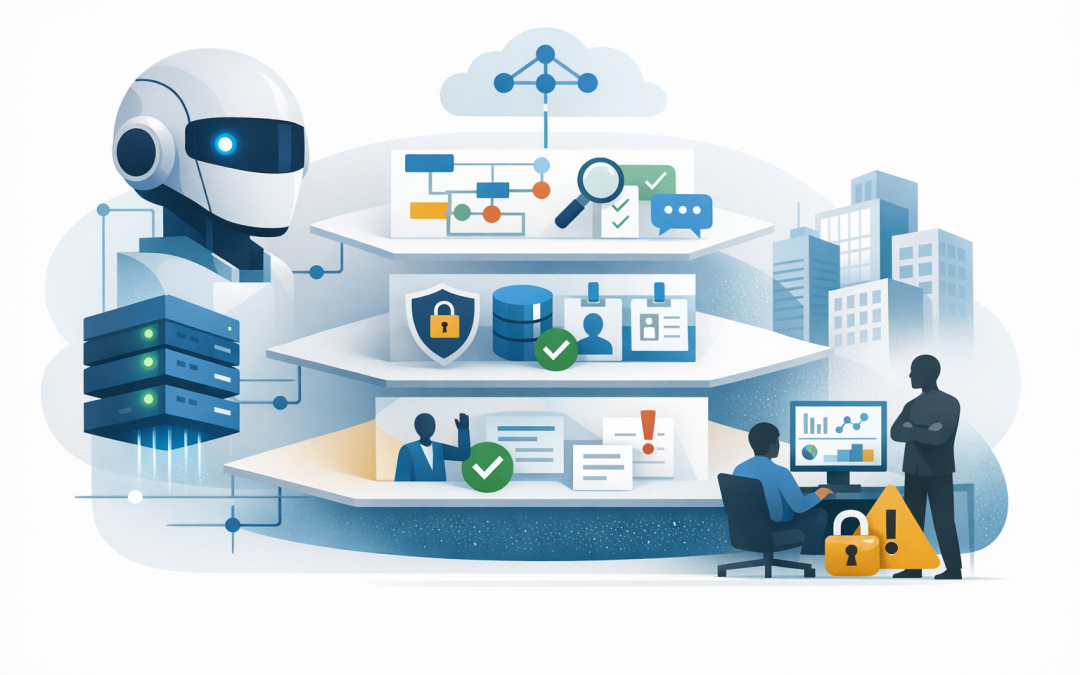
A production agent should be designed in layers. This makes it easier to change a model or interface without rebuilding the entire solution.
- Business interface such as a secure web application, Microsoft Teams experience or internal portal.
- Agent instructions defining the task, limits, response format and escalation rules.
- Agent Framework managing conversations, tool calls, workflows and approvals.
- Foundry services providing models, managed agent capabilities, identity and monitoring.
- Business systems such as Microsoft 365, SharePoint, a CRM, ERP or service desk.
If the agent needs to work across existing applications, our guide to connecting Microsoft Foundry agents to business systems covers the integration decisions in more detail.
Building a simple agent in .NET
The following example shows the basic shape of a code-first Foundry agent. It uses Microsoft Entra ID for authentication rather than placing a permanent access key in the application.
dotnet add package Azure.Identity
dotnet add package Microsoft.Agents.AI.Foundry --prerelease
using Azure.AI.Projects;
using Azure.Identity;
using Microsoft.Agents.AI;
var endpoint = Environment.GetEnvironmentVariable("FOUNDRY_PROJECT_ENDPOINT");
var model = Environment.GetEnvironmentVariable("FOUNDRY_MODEL");
AIAgent agent = new AIProjectClient(
new Uri(endpoint!),
new DefaultAzureCredential())
.AsAIAgent(
model: model!,
name: "ServiceDeskAssistant",
instructions: "Help employees diagnose common IT issues. " +
"Use approved tools only. Never reset an account " +
"or change access without user confirmation.");
var response = await agent.RunAsync(
"I cannot access the finance application.");
Console.WriteLine(response);This code is intentionally simple. It establishes the agent’s identity, selected model and operating instructions. Package names and release status should always be checked before a production deployment because agent technology is developing quickly.
The next step is not adding a larger prompt. It is adding tightly controlled tools.
Give the agent the minimum access it needs
A tool is a function the agent can call, such as looking up a knowledge article or creating a ticket. Each tool should perform one clearly defined task and validate every request before acting.
Start with read-only tools. For example, allow the agent to search approved support documents before allowing it to reset passwords, modify customer records or send external messages.
Actions with financial, security or customer impact should require human approval. Agent Framework supports approval points, allowing the agent to prepare an action while leaving the final decision with an authorised person.
This approach also supports the intent of the Essential Eight, the Australian government’s cybersecurity framework that many organisations use as their security baseline. Agent identities should use multi-factor authentication where appropriate, restricted administrative privileges and carefully managed application access.
A realistic business scenario
Consider a 200-person professional services company receiving hundreds of repetitive IT requests each month. Employees wait for support while the IT team repeatedly answers questions about software access, Microsoft 365 and common device problems.
A Foundry agent could search approved internal instructions, ask diagnostic questions and create a correctly categorised ticket when it cannot resolve the issue. It could prepare an access request, but a manager or IT administrator would still approve the actual change.
The business outcome is not simply “using AI”. Employees receive help sooner, the IT team spends less time sorting basic requests and risky changes remain under human control.
Plan for privacy, testing and cost from day one
Do not wait until launch to ask what information the agent can see. Australian organisations should identify whether prompts, files or tool results contain personal or sensitive information and confirm that the intended use fits their privacy obligations.
Agents should also be tested with real business scenarios, including incomplete requests, incorrect information and attempts to access restricted data. Measure completion rates, human corrections, response time, tool failures and cost per successful task.
Monitoring should show which model was used, which tools were called, how long the task took and whether approval was required. These records help the business improve reliability without relying on guesswork.
When a user-facing experience is needed, AG-UI and ASP.NET Core can provide a secure agent web interface with streaming responses and visible approval steps.
Start narrow and prove the result
The strongest first agent is rarely the one with access to every company system. It is the one that solves a measurable problem with clear boundaries.
Choose one workflow, define the expected business outcome and introduce tools gradually. Once the agent performs reliably, it can be expanded or connected to specialised agents through patterns such as those covered in our guide to external agent-to-agent endpoints.
CloudProInc combines more than 20 years of enterprise IT experience with hands-on expertise across Microsoft Foundry, Azure, Microsoft 365, OpenAI, Claude and cybersecurity. As a Melbourne-based Microsoft Partner and Wiz Security Integrator, we focus on making agents useful, secure and practical rather than building technology for its own sake.
If you are considering a Foundry agent but are unsure where it should fit, what it should access or how to control the risk, we are happy to review the idea with you — no strings attached.
Discover more from CPI Consulting
Subscribe to get the latest posts sent to your email.