
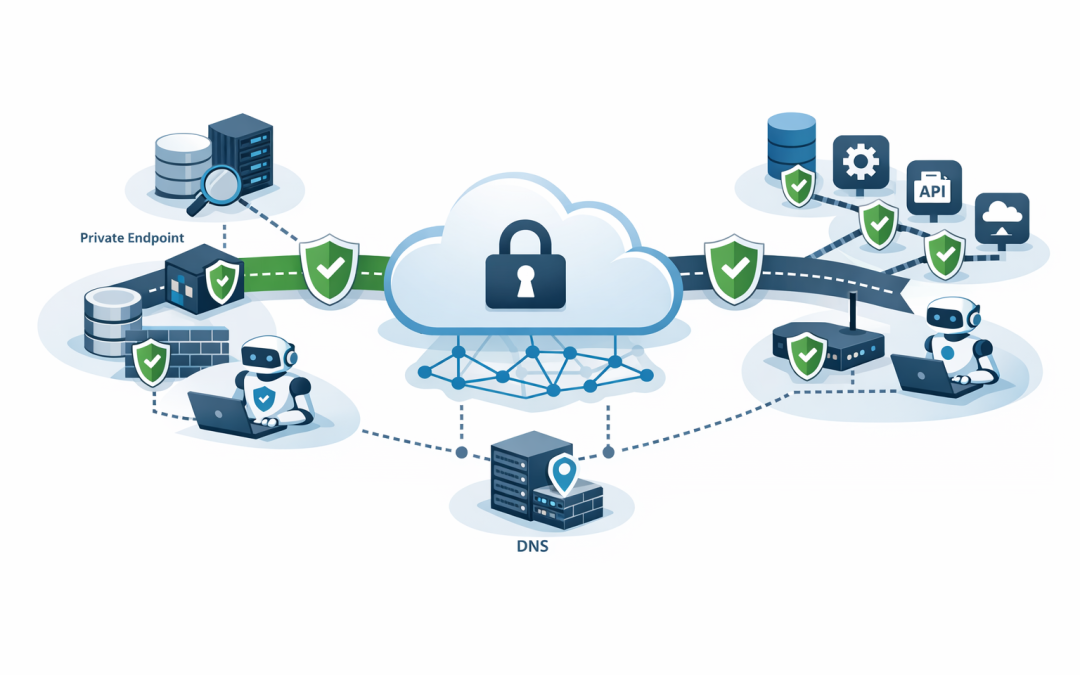
In this blog post Designing Private Network Access for Microsoft Foundry Agents we will explain how to keep AI traffic private, control what agents can reach and avoid creating a hidden security gap.


The problem often appears after a successful pilot. An AI agent starts with sample data, then suddenly needs access to customer records, internal documents, financial systems or operational databases. At that point, relying on public internet connections is no longer a minor technical decision. It becomes a business risk.
Private network access creates controlled paths between Microsoft Foundry, your employees, applications and business systems. Instead of exposing services to the internet and relying only on passwords or access keys, traffic travels through approved private Azure connections.
What Microsoft Foundry Agent Service actually does
Microsoft Foundry Agent Service is a managed Azure platform for building and operating AI agents. Unlike a basic chatbot, an agent can search business information, call software tools and complete multi-step tasks on behalf of a user.
For example, an agent could read a support request, search a knowledge base, check the customer’s service history and prepare a response. Each connection involved in that process needs to be treated as a potential path into or out of your environment.
Private networking controls those paths. The main technologies are Azure virtual networks, which create isolated network spaces, and private endpoints, which give Azure services private addresses that are not exposed directly to the internet.
Private inbound access is only half the job
One of the most common design mistakes is securing how users reach Foundry while ignoring how the agent reaches other systems.
There are two separate traffic directions to consider:
- Inbound traffic covers people, applications and automation calling your Foundry endpoint.
- Outbound traffic covers the agent calling Azure Storage, Azure AI Search, databases, APIs, other agents and external tools.
A private endpoint can protect inbound access while the agent still uses public connections for outbound calls. Microsoft describes these as separate design decisions, so adding one private endpoint does not automatically make the entire agent private.
This distinction matters because AI agents are designed to take actions. If outbound access is too broad, a compromised or poorly configured agent may be able to send information somewhere you never intended.
Choose the right network model before deployment
Microsoft Foundry supports different networking approaches. The right choice depends on the sensitivity of the data and the level of control your organisation needs.
Public access for short-lived experiments
A public configuration can be acceptable for an early proof of concept using synthetic data. It is faster to deploy, but the Foundry endpoint and outbound connections may use public networking by default.
Do not let this temporary configuration quietly become production. Set an expiry date and define the security work required before real business data is introduced.
Microsoft-managed virtual network
A managed virtual network gives you outbound isolation without requiring your team to operate every network component. Microsoft manages the network boundary, while you approve private connections to services such as Azure Storage, Cosmos DB and Azure AI Search.
This can be a sensible option for organisations with a small cloud team. It reduces administration while still restricting agents to approved destinations. Confirm regional availability, supported agent types and any feature limitations during planning because these capabilities continue to evolve.
Your own Azure virtual network
A bring-your-own virtual network provides greater control. Agent traffic is connected to a subnet in your Azure environment, allowing it to reach approved resources through private endpoints while public outbound access is blocked.
This model is generally better when you have established Azure network standards, on-premises connectivity, central firewalls or strict compliance requirements. It also places more responsibility on your team for address planning, private DNS and capacity.
A practical private architecture
A well-designed production environment usually follows a simple principle: every connection must have a business reason, an approved destination and an accountable owner.
- Users and applications enter through a private endpoint. Staff can connect through your corporate Azure network, a secure VPN or Azure ExpressRoute, which provides a dedicated private connection from your organisation to Azure.
- Public access is disabled. Having a private endpoint is not enough if the original public endpoint remains available.
- Agent traffic uses an isolated network. Choose either a Microsoft-managed virtual network or your own Azure virtual network.
- Dependencies use private endpoints. Storage, search, databases, Key Vault and other supported Azure services should not need public exposure.
- External destinations are explicitly approved. Where an agent must call a third-party service, route that connection through a controlled API gateway or firewall rather than allowing unrestricted internet access.
In a bring-your-own network design, Foundry uses platform-managed components to route tool calls into your virtual network. Hosted agents may also consume private IP addresses for their runtime, so subnet capacity should be planned for growth rather than just the first deployment.
Do not overlook private DNS
Private DNS is the directory that translates a service name into its private network address. If it is misconfigured, an agent may fail to connect or attempt to use a public address instead.
This becomes especially important when Foundry connects to Azure AI Search, storage accounts, Key Vault, databases and services across peered Azure networks. Test name resolution from the same network path the agent uses, not only from an administrator’s laptop.
Your design document should include:
- Every required private DNS zone
- Which virtual networks are linked to each zone
- How on-premises DNS requests are forwarded
- Who owns DNS changes and incident response
- How private and public resolution will be tested
Network controls do not replace identity controls
A private network limits where traffic can travel. It does not decide whether an agent is authorised to read payroll files, update customer records or trigger a financial process.
Use managed identity, which gives the agent an Azure identity without storing passwords, together with role-based access control. Role-based access control restricts each identity to the specific resources and actions it genuinely needs.
We cover this in more detail in Secure Microsoft Foundry Projects with RBAC and Managed Identity.
A useful design policy can be expressed in plain language:
Inbound access: Private endpoint only
Public network access: Disabled
Outbound access: Approved destinations only
Business data: Accessed through private endpoints
Authentication: Managed identity
Permissions: Minimum required for each agent
Logging and alerts: Enabled for all production projects
Plan separately for external tools and other agents
Private-by-default does not mean an agent can never reach an external service. It means exceptions are intentional, documented and monitored.
If an agent uses MCP or OpenAPI to connect to business applications, map every destination before approving the architecture. Our guide to connecting Foundry agents to business systems with MCP and OpenAPI explains how those tool connections work.
Agent-to-agent traffic also needs authentication and network controls. See implementing secure A2A authentication and connecting Foundry agents to external A2A endpoints before allowing agents to call services outside your controlled environment.
A real-world planning scenario
Consider a 180-person professional services company building an agent to search client documents and prepare project summaries. The pilot works through public endpoints, but production data includes contracts, personal information and commercially sensitive advice.
Rather than simply switching on a private endpoint, the company maps the complete data flow. Employees enter through a private connection, the agent reaches Azure AI Search and storage through private endpoints, public access is disabled, and one approved external API is routed through a monitored gateway.
The business outcome is not just stronger security. The company avoids redesigning the platform after launch, reduces the chance of accidental data exposure and creates evidence that supports security reviews and Australian privacy obligations.
How this supports Essential 8 readiness
Private networking does not make a business compliant with the Essential 8, the Australian government’s baseline cybersecurity framework. It does, however, support the broader goal of reducing exposed services and limiting the paths an attacker can use.
Combine network isolation with controlled administration, timely patching, multi-factor authentication, Microsoft Defender monitoring and regular access reviews. Platforms such as Wiz can also identify exposed cloud resources, risky network paths and configuration drift across Azure.
Design for operations, not just deployment
Before approving the design, confirm how your team will monitor private endpoint failures, DNS issues, blocked agent calls and subnet capacity. Also include private networking in the recovery plan described in High Availability and Disaster Recovery for Microsoft Foundry Agents.
CloudProInc brings more than 20 years of enterprise IT experience to these decisions. As a Melbourne-based Microsoft Partner and Wiz Security Integrator, we help organisations design practical Foundry, Azure, Microsoft Defender and cloud security environments without turning every AI project into a giant infrastructure exercise.
If you are not sure whether your Foundry design protects both inbound and outbound traffic, we are happy to review the architecture and identify the gaps before they become expensive to fix.
Discover more from CPI Consulting
Subscribe to get the latest posts sent to your email.