
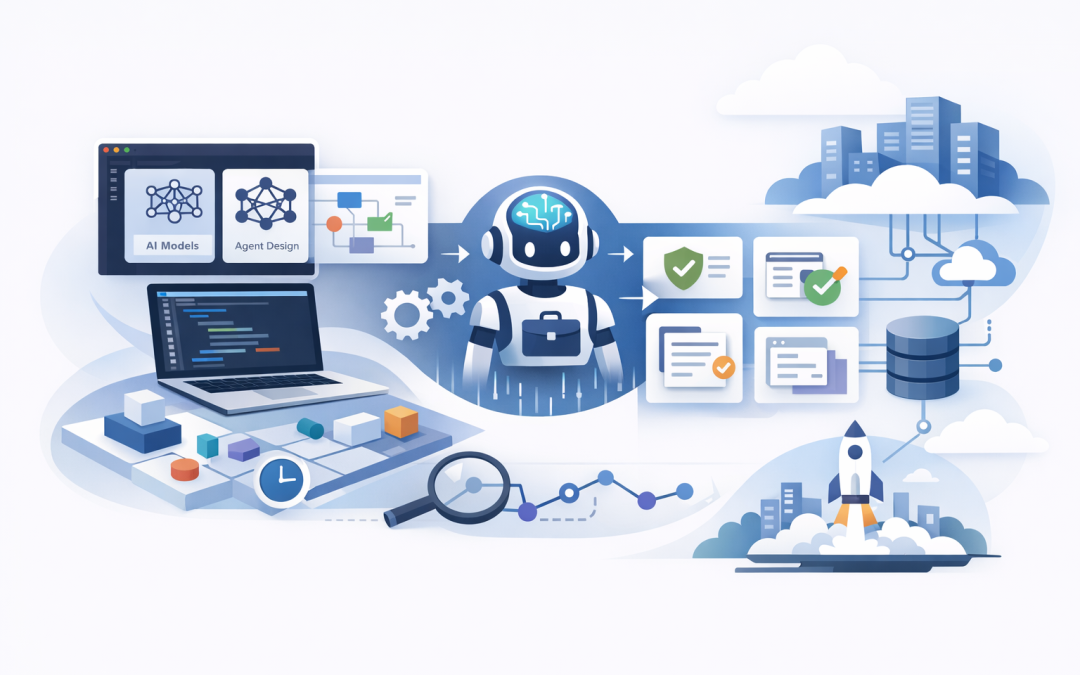
In this blog post Build AI Agents Faster with Microsoft Foundry Toolkit in VS Code we will explain how technology teams can move from an AI idea to a working business agent with less setup, fewer disconnected tools and better control.


Many organisations are not short of AI ideas. The problem is turning those ideas into reliable applications without spending months selecting models, configuring development environments and rebuilding prototypes for production.
Microsoft Foundry Toolkit addresses this gap. It brings model selection, agent design, testing, debugging and deployment into Visual Studio Code, the application many developers already use to write and test software.
What is Microsoft Foundry Toolkit
Microsoft Foundry Toolkit is a Visual Studio Code extension for building generative AI applications and agents. It was previously called AI Toolkit, and Microsoft has combined its earlier Foundry extension capabilities into the same development experience.
An AI agent is software that uses an AI model, business instructions and approved tools to complete a task. Unlike a basic chatbot, an agent can look up information, follow a process and take permitted actions in other systems.
For example, an employee support agent could review a request, search an approved policy library, check the status of an IT ticket and prepare a response. The agent is not simply generating text; it is working through a controlled business process.
The Toolkit gives developers a central place to explore models, create these instructions, connect tools, test different scenarios and prepare the agent for Microsoft Foundry, Microsoft’s managed platform for building and operating AI applications.
Why AI agent projects often take too long
The first demonstration is rarely the difficult part. A developer can often produce an impressive AI prototype in days, but several problems appear when the business asks whether it is secure, accurate and ready for employees.
- The selected model may be too expensive for regular use.
- The agent may work with simple questions but fail on unusual requests.
- Connections to business systems may rely on manually stored passwords or keys.
- Testing may be based on a few successful examples rather than measurable results.
- The prototype may need to be rebuilt before it can be securely deployed.
These gaps create delays and hidden costs. They also make it difficult for CIOs and CTOs to tell the difference between an interesting experiment and a useful business service.
As covered in our guide to Microsoft’s newer AI stack, successful delivery depends on how the development, agent, hosting and governance layers work together. Foundry Toolkit makes those layers easier for developers to access from one workspace.
How the Toolkit speeds up delivery
1. Teams can compare models before committing
Not every business task needs the largest or most expensive AI model. A simple classification agent may perform well with a smaller model, while a complex contract review task may require stronger reasoning.
Foundry Toolkit provides access to model catalogues and playgrounds where developers can test prompts and compare responses. A playground is a safe testing area where the team can experiment without first building a complete application.
This helps the business assess quality, response time and likely usage cost earlier. The outcome is a better chance of selecting the most economical model that can still do the job reliably.
2. Agent Builder reduces repetitive setup
Agent Builder lets a development team define an agent’s role, instructions, model, tools and expected output in one place. Teams can begin with a prompt-based agent and generate code when more control is required.
A simple design brief might look like this:
Agent: Service Desk Triage
Goal: Classify employee support requests
Approved tools: Ticket lookup and policy search
Output: Category, priority and recommended next step
Escalate when: The request involves security or payroll data
The Toolkit helps turn that design into something developers can run and test. This removes part of the repetitive work normally required to connect the model, development project and testing interface.
For projects that need detailed custom logic, our article on building production agents with Microsoft Agent Framework and .NET explains how teams can move beyond prompt-only designs.
3. Business tools can be added in a standard way
An agent becomes useful when it can work with approved business information. Foundry Toolkit supports Model Context Protocol, or MCP, which is a standard way for an AI application to connect with tools and data sources.
For example, an agent might use an MCP connection to search a product catalogue, retrieve a customer record or create a draft service ticket. Instead of writing every connection from the beginning, developers can work with a more consistent structure.
This can reduce integration time, but access still needs to be limited. An accounts assistant agent should not automatically receive permission to modify every finance record simply because the connection is technically possible.
Showing an agent only the tools needed for its current task can also reduce processing costs. We explore this further in how Microsoft Foundry Toolboxes reduce AI agent token costs.
4. Developers can see why an agent failed
Traditional software normally follows predictable instructions. AI agents can make different decisions depending on the request, available information and tools they are allowed to use.
The Toolkit includes debugging and visualisation capabilities that help developers inspect an agent’s steps. This is often called tracing, which simply means recording what the agent did, which tool it called and where the result went wrong.
For workflows involving multiple agents, teams can also view how work passes between them. This makes it easier to find unnecessary steps, incorrect tool calls and instructions that produce inconsistent results.
The business benefit is shorter fault-finding time and clearer evidence that the agent has been tested before employees or customers depend on it.
5. The path from prototype to Azure is shorter
A local prototype is useful, but production agents need managed access, monitoring and deployment controls. Foundry Toolkit can connect the development workspace to Microsoft Foundry resources in Azure, including projects, model deployments and hosted agents.
This does not mean every prototype is automatically production-ready. It does reduce the number of manual handovers between local development and the cloud environment where the agent will operate.
For a broader introduction to the platform, see our guide on how to build AI applications with Azure AI Foundry.
A practical mid-sized business scenario
Consider a 200-person professional services firm receiving hundreds of internal questions each month about leave, expenses, security and IT support. Employees wait for answers, while operations staff repeatedly search the same documents.
The firm could start with one narrow agent that answers questions from approved policies and sends uncertain requests to a person. Using Foundry Toolkit, its development team can compare models, build the agent, connect a controlled document source and test it against real question patterns.
The initial success measures should be practical: fewer repetitive tickets, faster response times and a low rate of incorrect answers. Only after those measures are met should the agent receive additional tools or be expanded into more sensitive areas.
This approach is usually faster and safer than attempting to build an all-purpose company assistant from day one.
Controls that should not be skipped
Faster development must not mean weaker governance. Foundry Toolkit accelerates the technical workflow, but the organisation still needs clear rules around data, access and accountability.
- Start with low-risk data. Do not use confidential customer, employee or financial information until the data handling process has been approved.
- Use identity-based access. Wherever possible, give the agent a managed digital identity rather than storing passwords inside its code.
- Apply least privilege. Give the agent access only to the systems and actions required for its specific job.
- Test failure cases. Include incomplete, misleading, sensitive and unusual requests rather than testing only ideal examples.
- Keep human approval for high-impact actions. Payments, account changes, legal decisions and security responses should not be fully automated without appropriate oversight.
Australian organisations should also consider privacy obligations and the Essential Eight, the Australian Government’s cybersecurity framework. The Toolkit does not make an AI solution compliant by itself, but its use should sit within existing controls for access, patching, application management and administrator privileges.
What tech leaders should do next
Foundry Toolkit is most valuable when the business has a clear task, measurable outcomes and an agreed risk boundary. It will not rescue a project with no owner, poor data or an undefined purpose.
Begin with one process that consumes employee time but does not create major risk if the agent asks for human help. Set a cost limit, define acceptable accuracy and decide what evidence must be collected before production approval.
CloudProInc combines more than 20 years of enterprise IT experience with hands-on expertise across Microsoft Foundry, Azure, OpenAI, Claude, Microsoft 365, Intune, Defender and Wiz. As a Melbourne-based Microsoft Partner and Wiz Security Integrator, we help organisations build useful AI services while keeping security and operating costs visible.
If you are unsure whether your AI agent idea is a practical business project or another expensive experiment, we are happy to review the use case and proposed architecture with you — no strings attached.
Discover more from CPI Consulting
Subscribe to get the latest posts sent to your email.