
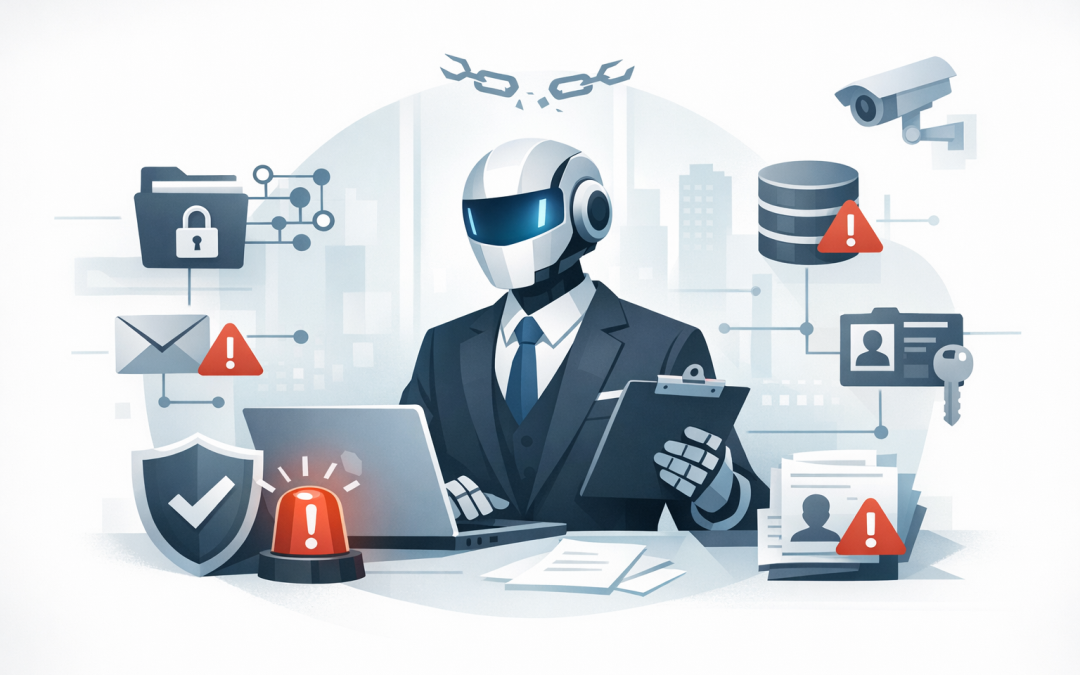
In this blog post The Hidden Security Risks of AI Agents and How to Control Them we will explain what enterprise AI agents are, why they create different risks from a normal chatbot, and what practical controls you need before they touch sensitive business data or key workflows. If you are a CIO, CTO, IT manager or business owner, this matters now because AI is moving from answering questions to taking actions inside systems your business relies on every day.


At a high level, an AI agent is not just a smart search box. It is an AI assistant that can read information, decide what to do next, and then use tools to carry out a task such as updating a record, drafting an email, checking a policy, or triggering a workflow. Microsoft now describes autonomous agents as systems that can respond to events, make decisions, and execute work in the background using instructions and guardrails set by the organisation.
That shift is the real security story. With a standard chatbot, the main risk is usually a bad answer. With an agent, the risk becomes a bad action. If the agent has access to files, customer records, finance systems, HR data, or cloud platforms, one wrong decision can create a privacy issue, a compliance problem, or a very expensive mess to clean up.
What the technology looks like in plain English
Under the hood, most enterprise AI agents are built from five parts. First, there is a large language model, which is the prediction engine that understands requests and generates responses. Second, there is access to business information, such as SharePoint, Teams, CRM data, documents, or knowledge bases. Third, there are tools and connectors, which let the agent do something in the real world. Fourth, there is memory, which helps it retain context between steps or sessions. Finally, there is an identity, meaning the permissions the agent uses to access systems and perform actions.
This is why AI agents need to be treated more like digital workers than software features. They have instructions, access, and sometimes enough autonomy to act without waiting for a human each time. In security terms, they are non-human identities with real permissions, which means the old question is not just what can the AI say, but what can it reach and what can it change.
Why these risks stay hidden at first
The danger with enterprise AI agents is that they often look harmless during early testing. A team builds one to answer internal questions, summarise documents, or help with service requests, and it seems useful straight away. But tools like Microsoft 365 Copilot respond using data the user already has permission to access, so if your file permissions are messy, outdated, or too broad, the agent can surface information more widely and more quickly than anyone expected.
That is why AI projects can appear secure on day one while still carrying real risk. The problem is usually not that the model hacked your environment. The problem is that the business already had weak access settings, unclear data ownership, or poor governance, and the agent simply makes those weaknesses more visible and more dangerous.
Five hidden security risks decision-makers should understand
1. Oversharing becomes faster and harder to spot
If staff have broad access to old SharePoint sites, shared folders, Teams files, or OneDrive content, an agent can pull from that material and package it into a neat answer in seconds. That means salary review notes, board papers, commercial contracts, or acquisition discussions can become easier to find and summarise, even when nobody intended that exposure. Microsoft now provides specific guidance for identifying overshared data and restricting discovery while organisations remediate those issues.
2. Prompt injection can trick the agent
Prompt injection sounds technical, but the idea is simple. Hidden or malicious instructions inside a user prompt, document, email, or web page try to make the agent ignore your rules and do something unintended. Industry guidance now treats this as one of the top risks for large language model applications, and Microsoft has built prompt shield capabilities specifically to detect both user prompt attacks and document-based attacks.
3. Too much access creates a big blast radius
An agent that can only draft a reply is one thing. An agent that can create purchase orders, reset accounts, change records, or query multiple business systems is something else entirely. If it runs with broad service permissions or a badly designed connector, a single bad instruction can trigger real operational change. This is why least privilege, meaning giving the agent only the minimum access it genuinely needs, is one of the most important controls.
4. Memory and context can be poisoned
Many agents retain context so they can keep working across longer tasks or repeat processes more efficiently. That is useful for productivity, but it also creates a new risk if the stored context is wrong, manipulated, or stale. Security guidance for agentic AI now calls out memory, reasoning, tool use, and human oversight as distinct attack surfaces, which means businesses need to think beyond the model itself.
5. Privacy and compliance problems can be created quietly
In Australia, this is not just an IT issue. The OAIC has made it clear that if AI systems generate or infer information about an identifiable person, that can still be personal information under the Privacy Act. The OAIC also expects organisations using commercially available AI products to have policies, procedures, transparency, and governance around how those tools are used. If your agent touches employee, customer, health, or financial data, privacy review cannot be an afterthought.
Where Essential Eight helps and where it does not
The Essential Eight, the Australian government’s cyber security framework used to lift baseline protection, still matters. Multi-factor authentication, patching, application control, restricted admin rights, and backups all reduce the chance that attackers can compromise the systems around your AI tools. But Essential Eight on its own does not solve AI-specific issues like oversharing, prompt injection, unapproved connectors, sensitive data in prompts, or poor agent design. You need baseline cyber hygiene and AI-specific governance working together.
How to control AI agents without killing momentum
Start with low-risk use cases
Begin with agents that read approved information and assist with drafting, internal knowledge lookup, or simple workflow triage. Avoid giving early agents the ability to approve payments, change HR records, or administer systems. A safe first phase keeps the business benefit while limiting damage if something goes wrong.
Fix data access before you scale
If your Microsoft 365 permissions are messy, AI will make that obvious. Review who can access what, remove stale content, identify overshared sites, and apply labels or restrictions to sensitive material. Microsoft now explicitly recommends reducing oversharing and improving content governance before broad Copilot and agent rollouts.
Give every agent a clear identity and narrow permissions
Do not let agents inherit broad admin access because it is convenient. Use separate identities, tightly scoped connectors, approval steps for high-impact actions, and clear ownership for every agent in production. If an agent can act, someone in the business should be accountable for what it is allowed to do.
Put guardrails around inputs, outputs, and actions
Good guardrails are not just content filters. They include prompt attack detection, sensitive data controls, policy checks, human approval for risky actions, and logging that shows what the agent saw, decided, and did. Microsoft now offers controls across Purview, Defender for Cloud Apps, AI threat protection, and Copilot governance to help organisations monitor AI usage, protect data in prompts, and respond to suspicious activity.
Monitor agents like an ongoing security program
One of the biggest mistakes leaders make is treating AI agents like a short pilot project. In reality, they need continuous oversight. That means discovering unsanctioned AI tools, reviewing agent inventory, checking permissions, monitoring behaviour, and assessing cloud exposure paths. Microsoft and Wiz both now emphasise visibility, posture management, and runtime monitoring as core parts of securing AI agents in production.
A practical scenario
Picture a 200-person manufacturing business in Melbourne that rolls out an internal AI agent for sales, operations, and finance teams. The goal is reasonable: answer policy questions faster, summarise meeting notes, and save staff time chasing documents. The pilot looks like a success until someone discovers the agent can also summarise old supplier contracts, outdated pricing sheets, and salary review files because those folders were broadly shared years ago.
Nothing was hacked. Nobody intentionally leaked anything. The issue was hidden access sprawl made more powerful by AI. The fix was not to ban AI. It was to clean up permissions, apply data protection labels, limit the agent’s scope, add approval steps for sensitive workflows, and monitor usage properly. That is usually the right pattern for mid-sized businesses: control first, scale second.
The bottom line
Enterprise AI agents can absolutely improve productivity. They can reduce repetitive work, speed up internal support, and help teams get more value from Microsoft 365, Azure, and other business platforms. But if an agent can read, write, send, approve, or trigger actions, it should be governed like a business-critical identity, not treated like a harmless add-on. Modern guidance from Microsoft, NIST, OWASP, and Australian regulators all points in the same direction: know what agents exist, control what they can access, protect sensitive data, and monitor them continuously over time.
That is where practical, hands-on work matters. At CloudPro Inc, we help organisations put the right foundations in place across Microsoft 365, Intune, Azure, Windows 365, Defender, Wiz, OpenAI, and Claude without turning AI adoption into a six-month committee exercise. If you are not sure whether your current AI plans are creating hidden security or compliance risk, we are happy to take a look with you, no strings attached.
Discover more from CPI Consulting
Subscribe to get the latest posts sent to your email.